> ## Documentation Index
> Fetch the complete documentation index at: https://docs.mosaic.so/llms.txt
> Use this file to discover all available pages before exploring further.
# 4.2 Input Tiles
> Tiles for importing your footage
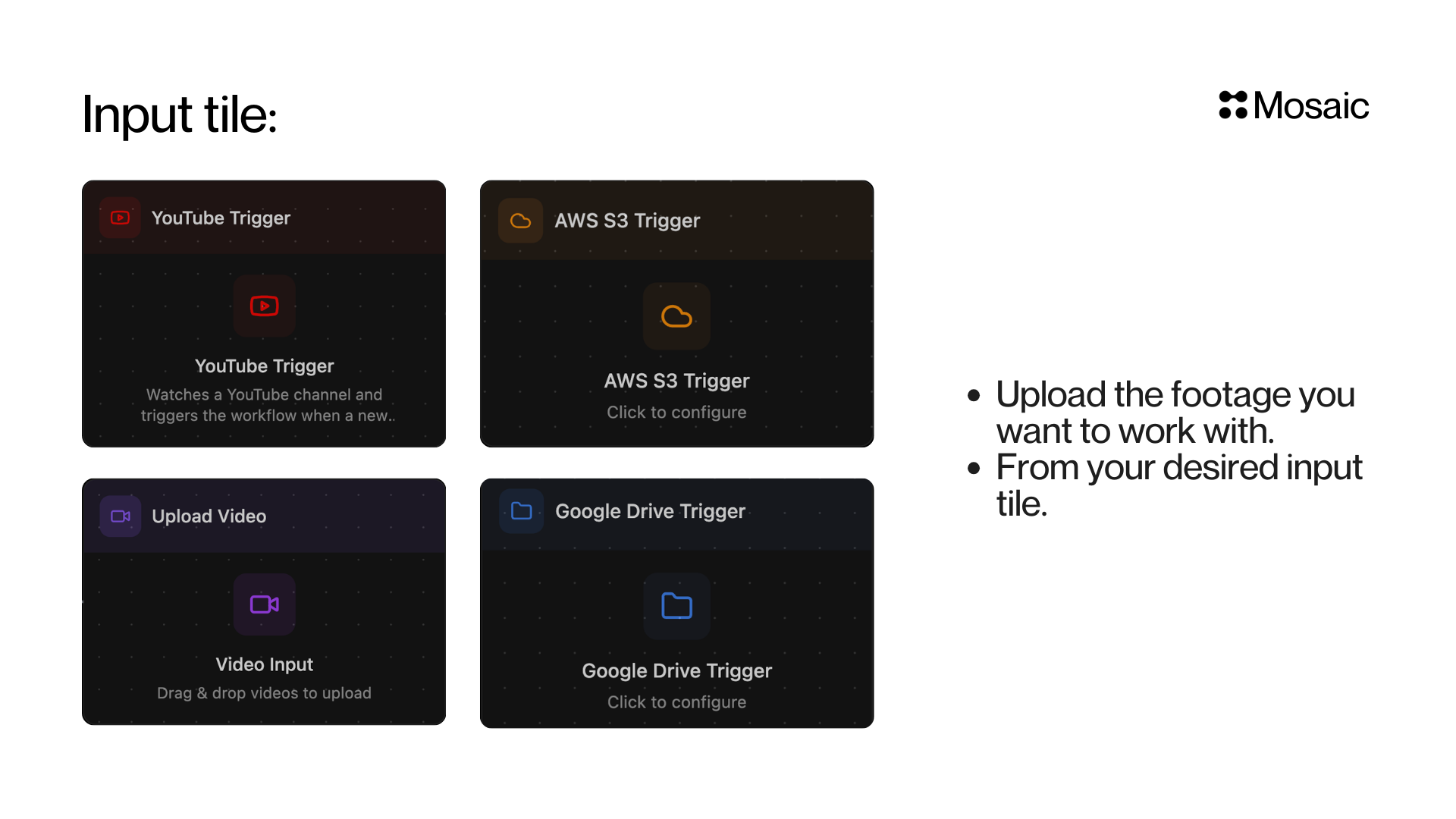
Input tiles are the starting point of every Mosaic workflow. Upload the footage you want to work with, from your desired input source.
 ***
## Video Input
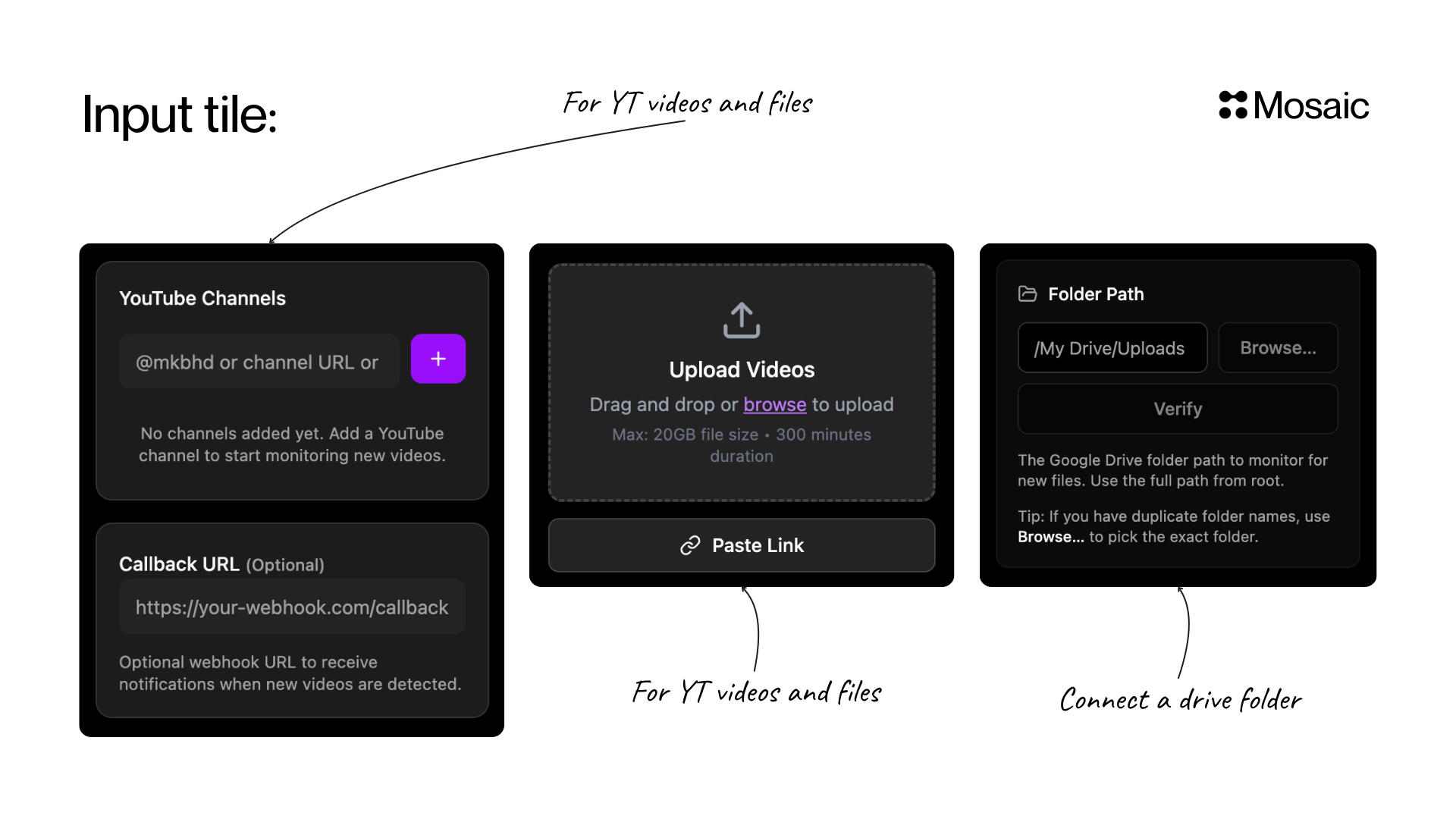
Drag and drop or browse to upload your footage directly. You can also paste a link to import videos from YouTube and other sources.
| | Details |
| ----------------- | ---------------------------------------- |
| **Max file size** | 20 GB |
| **Max duration** | 300 minutes |
| **Sources** | Local upload, Paste Link (YouTube, etc.) |
***
## YouTube Trigger
Watches a YouTube channel and automatically triggers your workflow when a new video is published. Add a channel by handle (e.g. `@mkbhd`) or URL, and optionally set a **Callback URL** to receive webhook notifications.
Best for automating clipping from a creator or channel.
***
## Google Drive Trigger
Connect a Google Drive folder and Mosaic will monitor it for new files. When a new video lands in the folder, your workflow kicks off automatically.
If you have duplicate folder names, use **Browse...** to pick the exact folder.
***
## AWS S3 Trigger
Connect an AWS S3 bucket to automatically trigger workflows when new files are uploaded. Ideal for teams with cloud-based media pipelines.
***
***
## Video Input
Drag and drop or browse to upload your footage directly. You can also paste a link to import videos from YouTube and other sources.
| | Details |
| ----------------- | ---------------------------------------- |
| **Max file size** | 20 GB |
| **Max duration** | 300 minutes |
| **Sources** | Local upload, Paste Link (YouTube, etc.) |
***
## YouTube Trigger
Watches a YouTube channel and automatically triggers your workflow when a new video is published. Add a channel by handle (e.g. `@mkbhd`) or URL, and optionally set a **Callback URL** to receive webhook notifications.
Best for automating clipping from a creator or channel.
***
## Google Drive Trigger
Connect a Google Drive folder and Mosaic will monitor it for new files. When a new video lands in the folder, your workflow kicks off automatically.
If you have duplicate folder names, use **Browse...** to pick the exact folder.
***
## AWS S3 Trigger
Connect an AWS S3 bucket to automatically trigger workflows when new files are uploaded. Ideal for teams with cloud-based media pipelines.
***
 Google Drive and AWS S3 triggers are available on certain plans. [Manage your subscription](/how-to/manage-subscription) to unlock automated triggers.