> ## Documentation Index
> Fetch the complete documentation index at: https://docs.mosaic.so/llms.txt
> Use this file to discover all available pages before exploring further.
# 18. Mirror
> Flip your video horizontally or vertically for corrections or creative effects.
Flip your video horizontally or vertically. This is useful for correcting mirrored webcam footage, achieving creative effects, or adjusting composition for platform layouts.
## How It Works
The Mirror tile applies a flip transformation to your entire video. You choose whether to flip horizontally, vertically, or both.
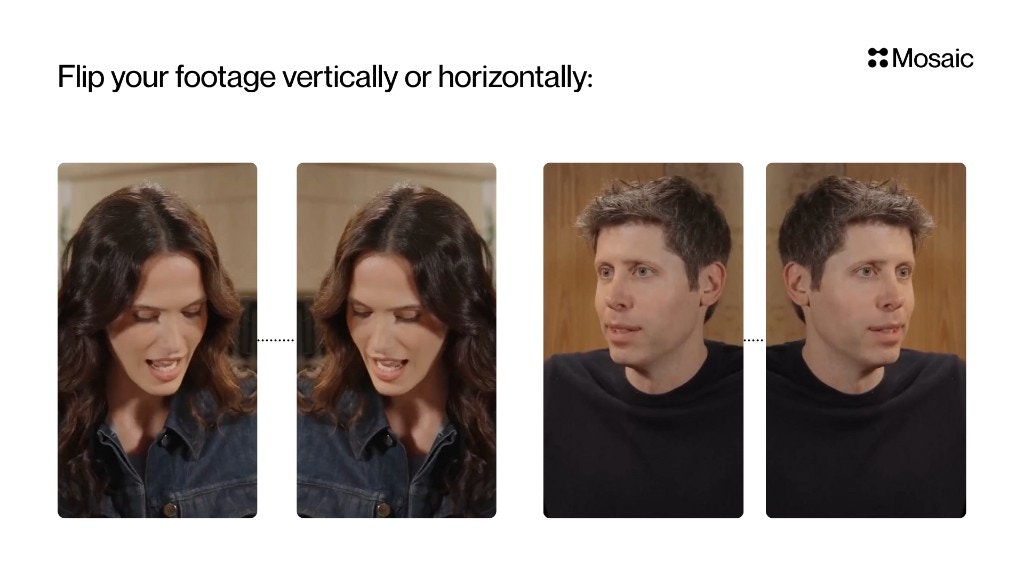 ## Input and Settings
### Horizontal Flip
Mirrors the video **left ↔ right**.
Use cases:
* Fix mirrored webcam footage
* Correct orientation when text/screen is reversed
* Creative reflections or symmetrical effects
### Vertical Flip
Mirrors the video **top ↕ bottom**.
Use cases:
* Creative effects
* Stylized edits
* Inverted scene looks
***
## API Info
* **Node ID:** `71156aca-3e21-45b0-8960-099dba07c83a`
### Node params
| Param | Type | Required | Default | Notes |
| ----------------- | --------- | -------- | ------- | ------------------------------------- |
| `horizontal_flip` | `boolean` | No | `false` | Mirrors frame on X-axis (left-right). |
| `vertical_flip` | `boolean` | No | `false` | Mirrors frame on Y-axis (top-bottom). |
### Runtime notes
* Both flags can be enabled simultaneously.
* Tile is deterministic and one-to-one (single input render -> single output render).
### Example
```json theme={null}
{
"horizontal_flip": true,
"vertical_flip": false
}
```
## Input and Settings
### Horizontal Flip
Mirrors the video **left ↔ right**.
Use cases:
* Fix mirrored webcam footage
* Correct orientation when text/screen is reversed
* Creative reflections or symmetrical effects
### Vertical Flip
Mirrors the video **top ↕ bottom**.
Use cases:
* Creative effects
* Stylized edits
* Inverted scene looks
***
## API Info
* **Node ID:** `71156aca-3e21-45b0-8960-099dba07c83a`
### Node params
| Param | Type | Required | Default | Notes |
| ----------------- | --------- | -------- | ------- | ------------------------------------- |
| `horizontal_flip` | `boolean` | No | `false` | Mirrors frame on X-axis (left-right). |
| `vertical_flip` | `boolean` | No | `false` | Mirrors frame on Y-axis (top-bottom). |
### Runtime notes
* Both flags can be enabled simultaneously.
* Tile is deterministic and one-to-one (single input render -> single output render).
### Example
```json theme={null}
{
"horizontal_flip": true,
"vertical_flip": false
}
```