> ## Documentation Index
> Fetch the complete documentation index at: https://docs.mosaic.so/llms.txt
> Use this file to discover all available pages before exploring further.
# 11. Reframe
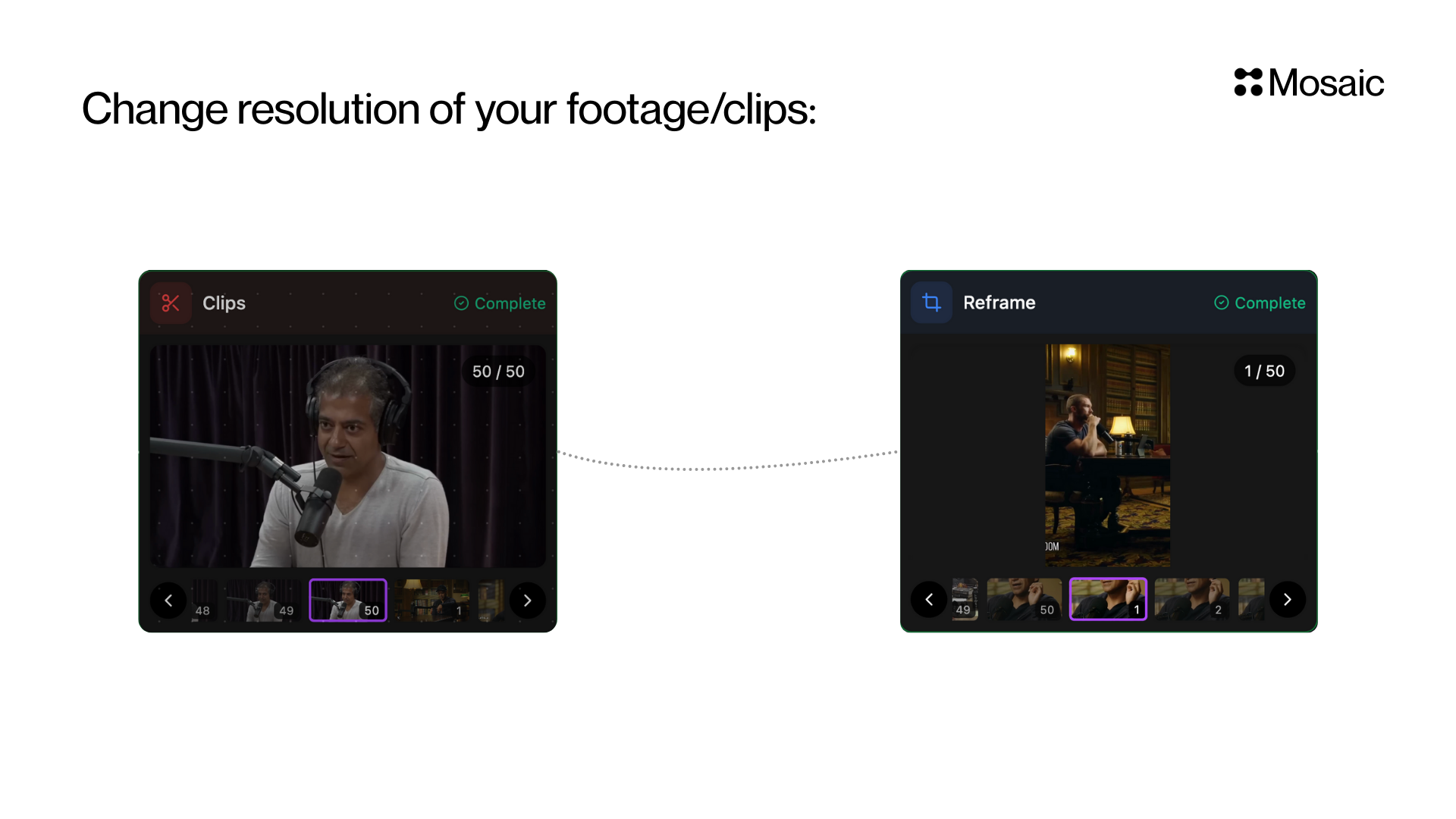
> Automatically convert your video into 9:16 or 1:1 while keeping the subject in view.
Automatically convert your video into a social-ready aspect ratio (`9:16` or `1:1`) while keeping the subject in view.
This is essential for repurposing videos across different platforms without manually cropping, zooming, or tracking faces.
## How It Works
The Reframe tile analyzes your footage and automatically chooses the best framing for each moment. It outputs a new lossy video render with the reframing baked in, so downstream tiles receive a normal video with no crop keyframes to preserve.
Reframe always keeps blurred/letterboxed padding enabled when it needs to preserve more of the source frame. This is especially useful for zoom-out moments where a tight crop would lose important context.
 ## Input & Settings
### 1. Shape (Required)
Select the output shape of your video.
Options:
* **9:16 (Portrait)** — TikTok, Reels, Shorts
* **1:1 (Square)** — Instagram Feed, Facebook
Choose based on **where you're publishing**.
### 2. Zoom Out
Enable or disable zoom-out framing. When enabled, Reframe can choose to show more of the source frame instead of cropping tightly. Padding stays enabled either way; disabling zoom-out only prevents zoom-out segments from being used.
### 3. Dual Crop
For `9:16`, Reframe can optionally use a stacked dual-crop layout for moments such as split-screen conversations or two important subjects. For `1:1`, dual crop is always disabled.
***
## API Info
* **Node ID:** `0e3a90e4-173f-42fc-b7ef-0df6a062e26c`
### Node params
| Param | Type | Required | Default | Notes |
| --------------------- | ----------------- | -------- | ------------------------------------ | ---------------------------------------------------------------------------------------------------------------- |
| `shape` | `"9:16" \| "1:1"` | No | `"9:16"` | Target output shape. |
| `zoom_out_enabled` | `boolean` | No | `true` | Allows zoom-out framing with padding. |
| `allow_dual_crop` | `boolean` | No | `true` for `9:16`, `false` for `1:1` | Allows stacked dual-crop output when the target shape is `9:16`. |
| `static_reframe_mode` | `boolean` | No | `false` | Static Reframe mode for talking-head footage where people mostly speak in place, such as podcasts or interviews. |
| `aspect` | `"9:16" \| "1:1"` | No | `"9:16"` | Legacy alias for `shape`. |
| `aspect_ratio` | `"9:16" \| "1:1"` | No | `"9:16"` | Legacy alias for `shape`. |
### Parameter groups
* **Output framing:** `shape`
* **Framing behavior:** `zoom_out_enabled`, `allow_dual_crop`, `static_reframe_mode`
### Runtime notes
* Padding is always enabled and is not user-configurable.
* Framing decisions are automatic and adapt to the content of the video.
* Safe-zone and graphics-avoidance controls are not exposed in this tile.
* Existing nodes with older `aspect` or `aspect_ratio` settings continue to work. `1:1` stays square; any older unsupported ratios are coerced to `9:16`.
### Example
```json theme={null}
{
"shape": "9:16",
"zoom_out_enabled": true,
"allow_dual_crop": true,
"static_reframe_mode": false
}
```
## Input & Settings
### 1. Shape (Required)
Select the output shape of your video.
Options:
* **9:16 (Portrait)** — TikTok, Reels, Shorts
* **1:1 (Square)** — Instagram Feed, Facebook
Choose based on **where you're publishing**.
### 2. Zoom Out
Enable or disable zoom-out framing. When enabled, Reframe can choose to show more of the source frame instead of cropping tightly. Padding stays enabled either way; disabling zoom-out only prevents zoom-out segments from being used.
### 3. Dual Crop
For `9:16`, Reframe can optionally use a stacked dual-crop layout for moments such as split-screen conversations or two important subjects. For `1:1`, dual crop is always disabled.
***
## API Info
* **Node ID:** `0e3a90e4-173f-42fc-b7ef-0df6a062e26c`
### Node params
| Param | Type | Required | Default | Notes |
| --------------------- | ----------------- | -------- | ------------------------------------ | ---------------------------------------------------------------------------------------------------------------- |
| `shape` | `"9:16" \| "1:1"` | No | `"9:16"` | Target output shape. |
| `zoom_out_enabled` | `boolean` | No | `true` | Allows zoom-out framing with padding. |
| `allow_dual_crop` | `boolean` | No | `true` for `9:16`, `false` for `1:1` | Allows stacked dual-crop output when the target shape is `9:16`. |
| `static_reframe_mode` | `boolean` | No | `false` | Static Reframe mode for talking-head footage where people mostly speak in place, such as podcasts or interviews. |
| `aspect` | `"9:16" \| "1:1"` | No | `"9:16"` | Legacy alias for `shape`. |
| `aspect_ratio` | `"9:16" \| "1:1"` | No | `"9:16"` | Legacy alias for `shape`. |
### Parameter groups
* **Output framing:** `shape`
* **Framing behavior:** `zoom_out_enabled`, `allow_dual_crop`, `static_reframe_mode`
### Runtime notes
* Padding is always enabled and is not user-configurable.
* Framing decisions are automatic and adapt to the content of the video.
* Safe-zone and graphics-avoidance controls are not exposed in this tile.
* Existing nodes with older `aspect` or `aspect_ratio` settings continue to work. `1:1` stays square; any older unsupported ratios are coerced to `9:16`.
### Example
```json theme={null}
{
"shape": "9:16",
"zoom_out_enabled": true,
"allow_dual_crop": true,
"static_reframe_mode": false
}
```