> ## Documentation Index
> Fetch the complete documentation index at: https://docs.mosaic.so/llms.txt
> Use this file to discover all available pages before exploring further.
# 15. Watermark
> Add a watermark or logo to your video for branding, ownership, or attribution.
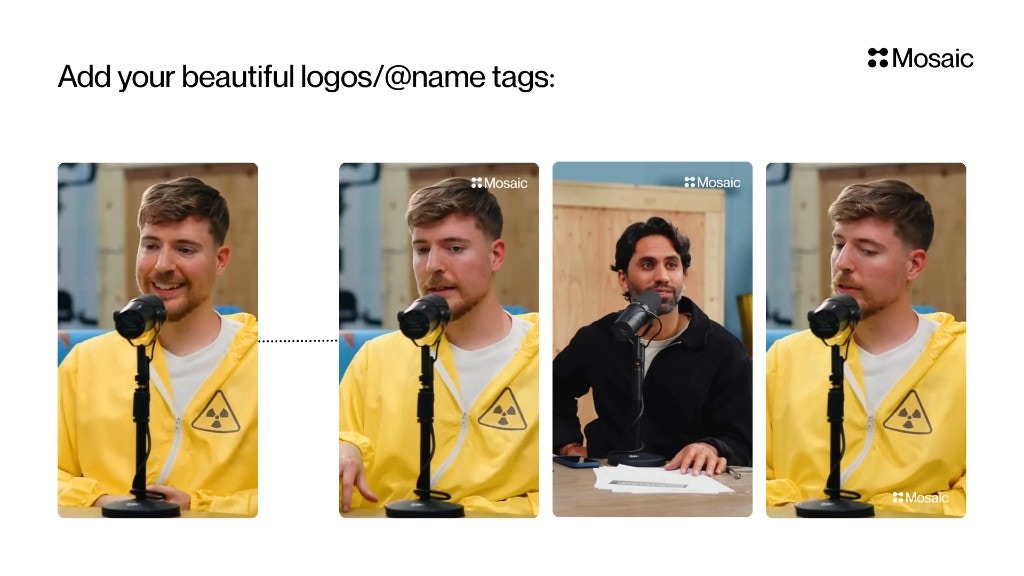
Add a watermark or logo to your video for branding, ownership, or attribution. Useful for creators, brands, agencies, or clients who want consistent visual identity across content.
## How It Works
The Watermark tile places an image overlay (logo or watermark) on top of your final video. You can use Mosaic's default branding or upload your own logo for custom branding.
 ## Input & Settings
### Logo Source
Choose one:
* **Use Mosaic Logo** — Quick default branding
* **Use Custom Logo** — Upload your own PNG/JPG (recommended for creators & brands)
### Position
Pick where the watermark should appear. Common presets include:
* Bottom Right (default)
* Bottom Left
* Top Right
* Top Left
Choose based on platform and composition.
### Size
Adjusts logo size as a percentage of video width.\
Example from screenshot:
* **30% of width** → medium branding
### Opacity
Controls visibility (0–100%).\
Examples:
* **20–40%** → subtle watermark
* **70–100%** → strong visible branding
### Margin
Adds spacing (in pixels) from the video edges to avoid clipping or interference with captions.
***
## API Info
* **Node ID:** `6808af58-2d9a-4e3b-aacb-2d9c143b7729`
### Node params
| Param | Type | Required | Default | Notes |
| ----------------- | -------------------------------------------------------------- | ----------- | ---------------- | ----------------------------------------- |
| `use_custom_logo` | `"mosaic" \| "custom"` | Yes | `"mosaic"` | Source mode for watermark image. |
| `image_id` | `string` (UUID) | Conditional | `null` | Required when `use_custom_logo="custom"`. |
| `logo_position` | `"top-left" \| "top-right" \| "bottom-left" \| "bottom-right"` | Yes | `"bottom-right"` | Overlay anchor position. |
| `logo_size` | `number` (percent) | Yes | `30` | Relative watermark width scale. |
| `logo_opacity` | `number` (percent) | Yes | `80` | 10-100 in UI contract. |
| `logo_margin_x` | `number` (px) | Yes | `20` | Horizontal edge offset. |
| `logo_margin_y` | `number` (px) | Yes | `20` | Vertical edge offset. |
### Parameter groups
* **Logo source:** `use_custom_logo`, `image_id`
* **Placement & sizing:** `logo_position`, `logo_size`, `logo_opacity`, `logo_margin_x`, `logo_margin_y`
### Scenario requirements
* If `use_custom_logo="custom"`, provide a valid image UUID in `image_id`.
### Runtime notes
* Backend validates `image_id` and fetches source dimensions before composing placement.
* Existing watermark-related tracks are removed/replaced by the new operation.
### Example
```json theme={null}
{
"use_custom_logo": "custom",
"image_id": "cccccccc-dddd-eeee-ffff-000000000000",
"logo_position": "bottom-right",
"logo_size": 30,
"logo_opacity": 80,
"logo_margin_x": 20,
"logo_margin_y": 20
}
```
## Input & Settings
### Logo Source
Choose one:
* **Use Mosaic Logo** — Quick default branding
* **Use Custom Logo** — Upload your own PNG/JPG (recommended for creators & brands)
### Position
Pick where the watermark should appear. Common presets include:
* Bottom Right (default)
* Bottom Left
* Top Right
* Top Left
Choose based on platform and composition.
### Size
Adjusts logo size as a percentage of video width.\
Example from screenshot:
* **30% of width** → medium branding
### Opacity
Controls visibility (0–100%).\
Examples:
* **20–40%** → subtle watermark
* **70–100%** → strong visible branding
### Margin
Adds spacing (in pixels) from the video edges to avoid clipping or interference with captions.
***
## API Info
* **Node ID:** `6808af58-2d9a-4e3b-aacb-2d9c143b7729`
### Node params
| Param | Type | Required | Default | Notes |
| ----------------- | -------------------------------------------------------------- | ----------- | ---------------- | ----------------------------------------- |
| `use_custom_logo` | `"mosaic" \| "custom"` | Yes | `"mosaic"` | Source mode for watermark image. |
| `image_id` | `string` (UUID) | Conditional | `null` | Required when `use_custom_logo="custom"`. |
| `logo_position` | `"top-left" \| "top-right" \| "bottom-left" \| "bottom-right"` | Yes | `"bottom-right"` | Overlay anchor position. |
| `logo_size` | `number` (percent) | Yes | `30` | Relative watermark width scale. |
| `logo_opacity` | `number` (percent) | Yes | `80` | 10-100 in UI contract. |
| `logo_margin_x` | `number` (px) | Yes | `20` | Horizontal edge offset. |
| `logo_margin_y` | `number` (px) | Yes | `20` | Vertical edge offset. |
### Parameter groups
* **Logo source:** `use_custom_logo`, `image_id`
* **Placement & sizing:** `logo_position`, `logo_size`, `logo_opacity`, `logo_margin_x`, `logo_margin_y`
### Scenario requirements
* If `use_custom_logo="custom"`, provide a valid image UUID in `image_id`.
### Runtime notes
* Backend validates `image_id` and fetches source dimensions before composing placement.
* Existing watermark-related tracks are removed/replaced by the new operation.
### Example
```json theme={null}
{
"use_custom_logo": "custom",
"image_id": "cccccccc-dddd-eeee-ffff-000000000000",
"logo_position": "bottom-right",
"logo_size": 30,
"logo_opacity": 80,
"logo_margin_x": 20,
"logo_margin_y": 20
}
```