

How It Works
The Voice tile analyzes your video’s speech, generates replacement audio based on your selections, and merges it back into the timeline. If enabled, it also adjusts lip movements to match the new audio.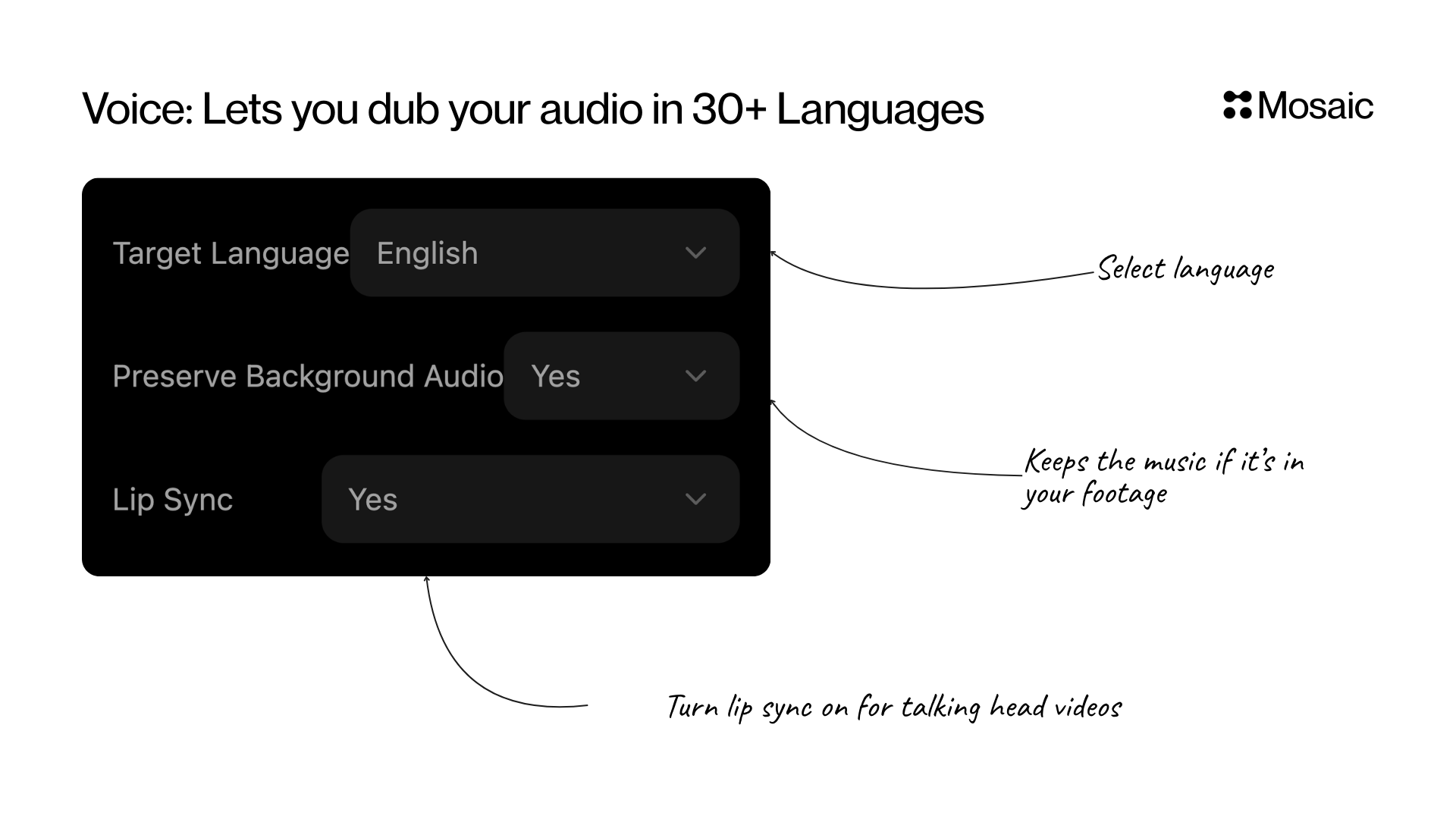
Input and Settings
Target Language
Choose the output language for the voice. Use cases:- Global distribution (English → Spanish → French, etc.)
- Multilingual short-form content
- Translating educational or tutorial content
Preserve Background Audio
Choose whether to keep original ambient sounds or music.- Yes — keeps natural room tone, gameplay audio, background music
- No — outputs clean isolated speech for controlled mixing
Lip Sync
Aligns mouth movements to match the new speech. Essential when dubbing to another language, replacing script sections, or creating seamless speech edits.Advanced features (limited provider support): The Voice tile also supports Safewords (words that should never be modified, like brand names) and a Translation Dictionary (custom word/phrase replacements for fine-tuned localization). Availability depends on your selected voice provider.
API Info
Node Params & API Details
Node Params & API Details
- Node ID:
14abd0c1-402c-40b8-8ec8-defd951efe01
Node params
Parameter groups
- Language & output:
target_language,preserve_background_audio,enable_lipsync - Advanced lexical controls:
safewords,translation_dictionary
Runtime notes
- There is a known default mismatch across layers (
target_language,enable_lipsync), so API agents should always send both explicitly. - ElevenLabs language normalization happens server-side before synthesis request.