

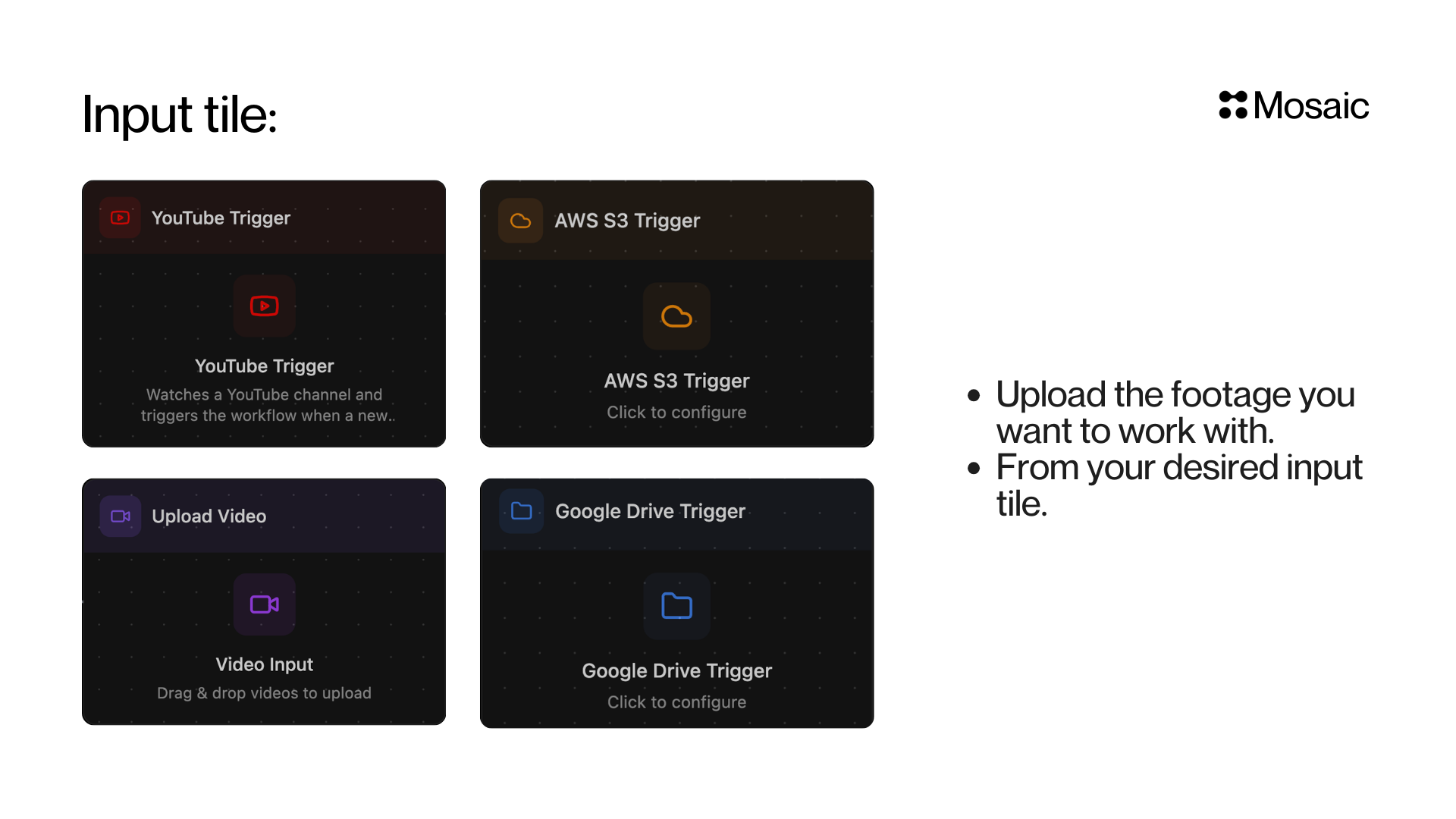
Video Input
Drag and drop or browse to upload your footage directly. You can also paste a link to import videos from YouTube and other sources.YouTube Trigger
Watches a YouTube channel and automatically triggers your workflow when a new video is published. Add a channel by handle (e.g.@mkbhd) or URL, and optionally set a Callback URL to receive webhook notifications.
Best for automating clipping from a creator or channel.
Google Drive Trigger
Connect a Google Drive folder and Mosaic will monitor it for new files. When a new video lands in the folder, your workflow kicks off automatically. Named-folder batching (optional). When you enable Batch Assets, Include subfolders, and Separate batch per subfolder, you can also supply a list of folder-name prefixes (for examplea, b, c, or client). Matching is case-insensitive, and a folder matches when its name starts with one of those values. Files inside matching folders are rolled up into the nearest ancestor whose name does not start with one of those prefixes. For example, with prefixes a, b, and c, any file uploaded into parent/a/, parent/b/, or parent/c/ is batched together under parent. The walk continues upward if multiple nested ancestors also match. Leave the list empty to keep the classic per-subfolder behavior.
AWS S3 Trigger
Connect an AWS S3 bucket to automatically trigger workflows when new files are uploaded. Ideal for teams with cloud-based media pipelines.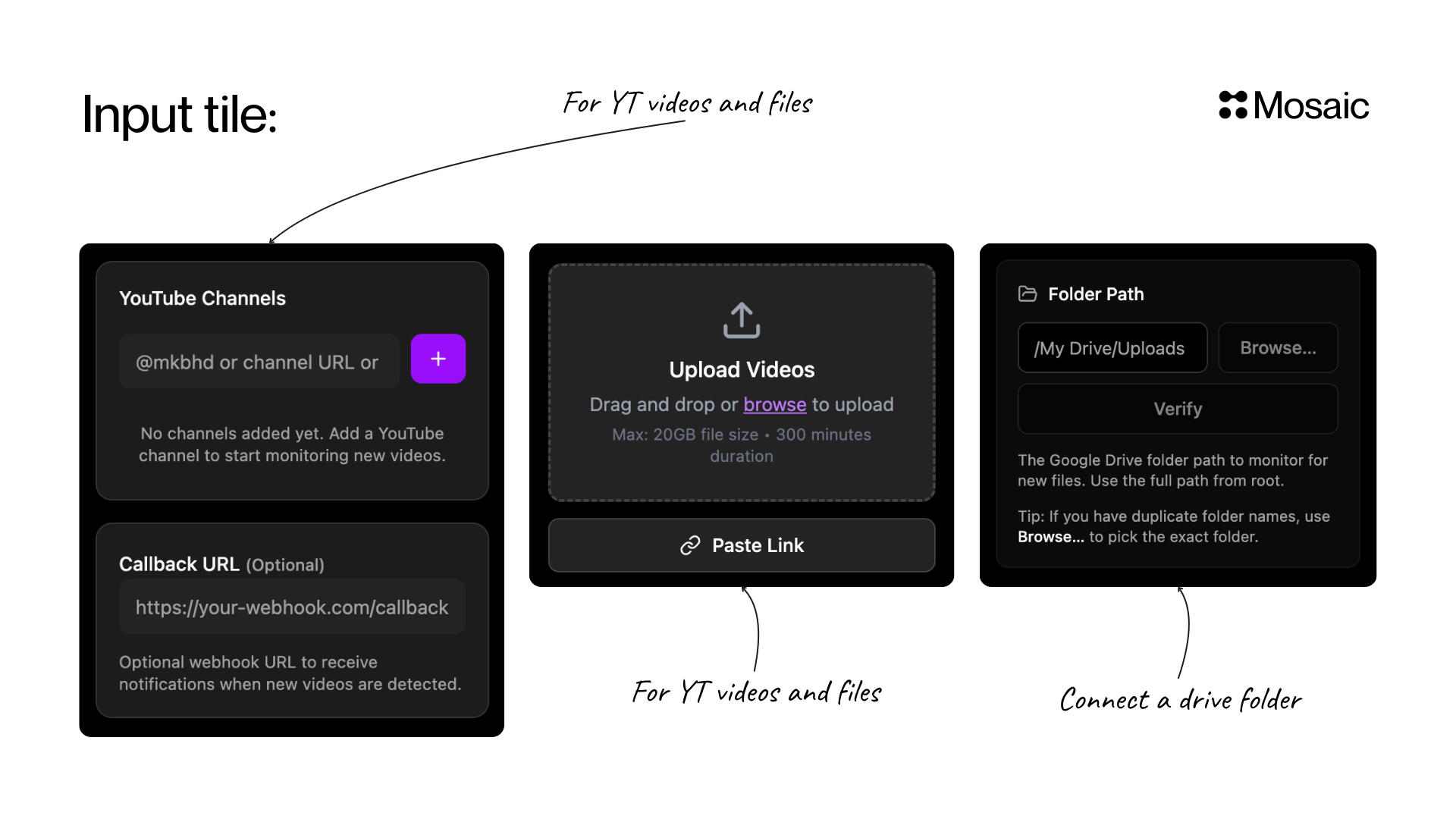
Google Drive and AWS S3 triggers are available on certain plans. Manage your subscription to unlock automated triggers.
API Info
Node Params & API Details
Node Params & API Details
This page is the runtime node parameter contract for input/trigger tiles, written for automation agents creating mosaics programmatically.
quality_*_slack_workspace_id, quality_*_slack_channel_id, quality_*_slack_channel_name, and quality_*_slack_mentions are deprecated and ignored. Use notification_settings.on_error for flag_and_continue failed-channel notifications.Video Input
- Node ID:
9451e6ff-ac7f-4317-9055-a2f35f641b29
Node params
Video Input accepts no parameters at graph creation time. Simply create the node with noparams_used.Videos are supplied at run time via POST /agent/{agent_id}/run using video_inputs (canonical) or top-level shorthand fields video_urls, video_ids, node_render_ids, or mimir_assets (Mimir integration).Example
YouTube Trigger
- Node ID:
6145e248-a149-4fea-a2bd-f869976424a3
Node params
Scenario requirements
channelsmust be non-empty for a usable trigger.- Creator plan or above is required in UI.
Example
Google Drive Trigger
- Node ID:
1bcc12fd-176d-4d28-873d-1b154a564340
Node params
transcodings object schema
transcode_rules schema
field:fps | max_dimension | codec | containercomparator:lt | gt | lte | gte | eq | neq- Transcoding is always on for matched files (mandatory); there is no opt-out. The pipeline performs a single transcoding pass per asset (no dual proxy pass plus group pass).
- Runtime behavior: when conditional rules are enabled for a scope (global or per-media), transcoding runs only when at least one rule in that scope matches.
AWS S3 Trigger
- Node ID:
aab5a93d-eaa5-46e3-900d-db67e955c9e7
Node params
Runtime behavior notes
flag_and_continuequality actions send the failed-channel notification configured on the tile, falling back to the mosaic failed-channel settings. If no failed Slack channel is configured, the task records a warning and continues.fail_taskstops processing.- If
batch_enabled=false, backend normalization forcesbatch_debounce_minutes=0andbatch_by_subfolder=false. - Transcoding is always on for matched files (mandatory); there is no opt-out. The pipeline performs a single transcoding pass per asset (no dual proxy pass plus group pass).
- Conditional transcoding uses “any rule matches” logic when enabled for a scope (global or per-media): transcoding runs only when at least one rule in that scope matches. When rules are disabled for that scope, transcoding proceeds according to the configured
transcodings/ per-media settings.
Google Drive and AWS S3 triggers are plan-gated features in the UI. Parameter contract remains valid for API-driven automation.