

How It Works
Add the Destination tile at the end of your workflow. When it runs, Mosaic formats your video for the target platform(s), optionally generates social captions, and publishes or exports.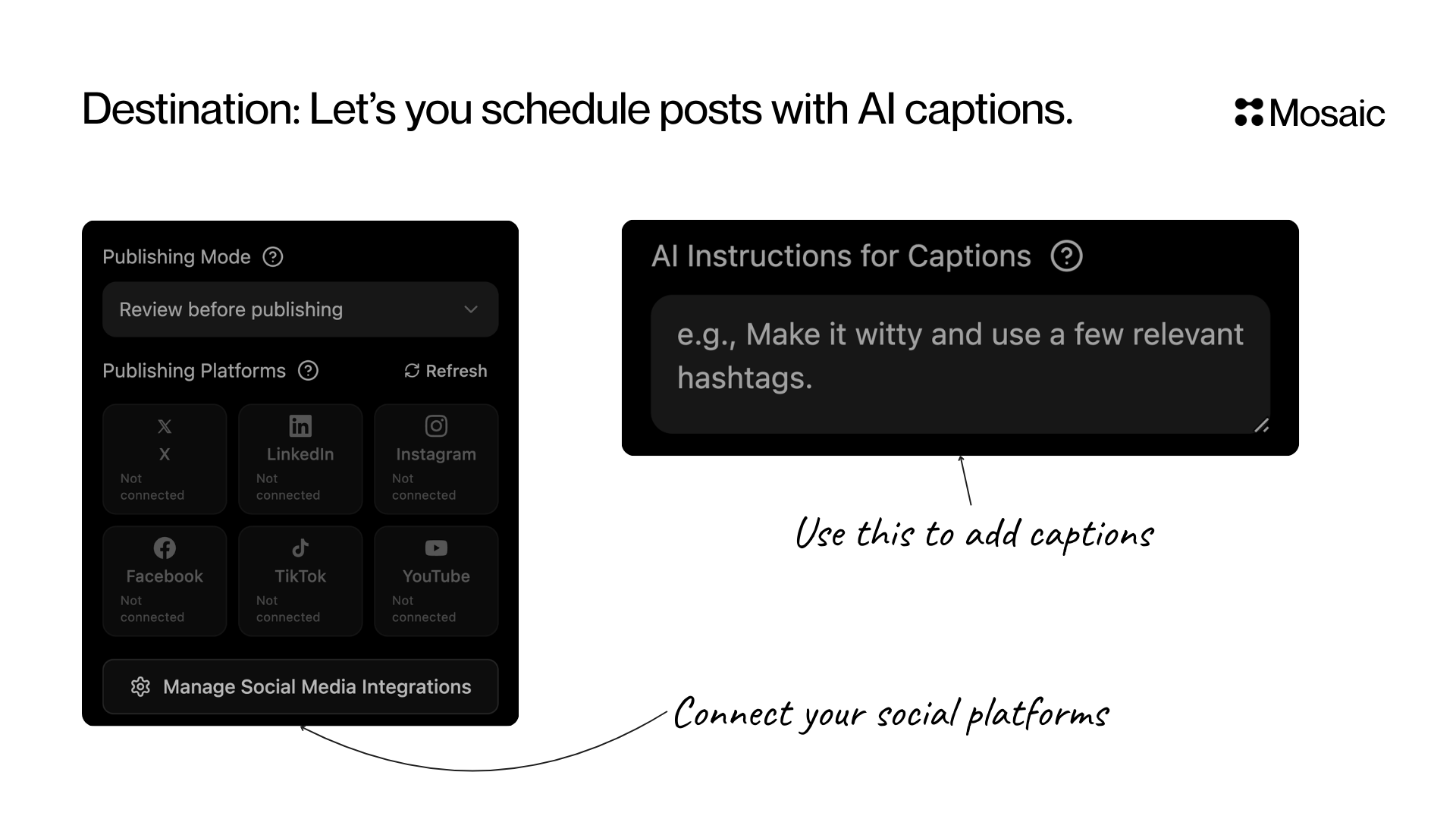
Input & Options
Publishing Mode
Publishing Platforms
Connect and publish to:- X (Twitter)
- TikTok
- YouTube
AI Captions for Posts (Optional)
Tell the AI how to write your social media post text. Examples:- “Make it witty and add relevant hashtags”
- “Write for LinkedIn with a strong hook and CTA”
- “Write for TikTok using casual language and emojis”
API Info
Node Params & API Details
Node Params & API Details
- Node ID:
e840b66c-488c-4247-9e46-756b914fc287
Node params
Parameter groups
- Destination routing (required):
platforms - Publish policy:
approval_mode - Caption generation guidance:
ai_instructions
Scenario requirements
platformsmust be non-empty.
Runtime notes
- Backend resolves caption instruction text from multiple keys (
ai_instructions,ai_prompt,instructions,prompt) for backward compatibility. - Only connected social accounts are selectable in UI, but API clients can still submit valid platform IDs directly.