

How It Works
Color Correction adjusts the color profile of your footage. You choose one grading method (preset, reference image, or custom LUT), and Mosaic applies that look across your video.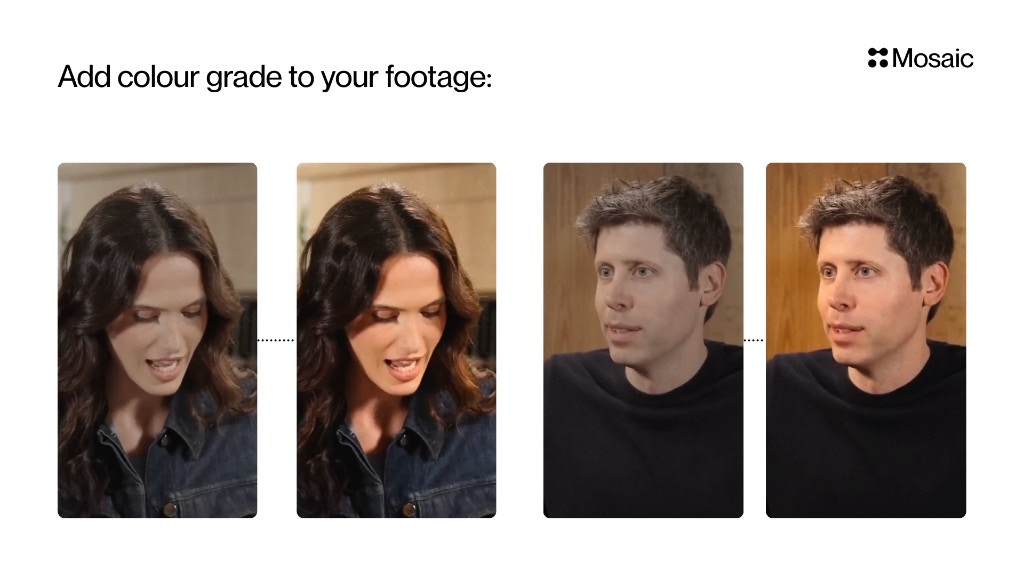
Input & Settings
1. Preset LUT
Select a ready-made look such as:- Golden Hour
- Filmic
- Vibrant
- Cool Tones
- Neutral Clean
Fast results when you don’t want to think about color science.
2. Reference Image
Upload an image whose color style you want to match. Example:Upload a still from a movie → Mosaic matches that cinematic look. Best for:
Brand aesthetics or mood matching.
3. Custom LUT (.cube)
Upload your own .cube LUT file exported from:- DaVinci Resolve
- Premiere Pro
- Final Cut
- Photoshop
- Other grading software
Colorists or agencies with existing grading pipelines.
API Info
Node Params & API Details
Node Params & API Details
- Node ID:
8254e1f8-dfea-42f9-90d8-aa91ec859bec
Node params
Parameter groups
- Mode selector:
mode - Reference-image mode:
reference_image_id,strength - Preset LUT mode:
preset_lut - Custom LUT mode:
custom_lut_id,custom_lut_filename
Supported preset_lut values
warm_ambersunset_boulevardroyal_blueretro_forestpeach_melbapastel_mintlavender_dustgolden_hourbutter_creamblueberry_dream
Scenario requirements
mode="reference_image"->reference_image_idrequired.mode="preset_lut"->preset_lutrequired.mode="custom_lut"->custom_lut_idrequired (workspace LUT asset ID).
Runtime notes
- UI persists only one active grading source; changing
modeclears conflicting fields.